Two HDDlife® versions – standard and professional – are compared in this table. To see the description of each feature, just hover the mouse pointer over the information icon ()
Hard drive health monitoring for IDE, Serial ATA, SCSI drives
JustNow™
JustNow! is a completely new technology that allows you to find out the state of health and performance rate of your hard drives, immediately, both when you start the program for the first time and when you start it again! There is no need to control disks over a long period of time! No analogous software allows this! Thanks to this technology, HDDlife® also shows the health and performance level as a percentage as compared to a new disk.
JustNow™ - show health status immediately after first run
Interface in your native language
HDDlife® supports a multilingual interface. All messages, menus, summaries, settings are now available in your language. The standard distribution package of HDDlife® includes the 14 most popular languages. New languages are constantly added.
Multilingual interface
Check the Internet weekly for a new version
HDDlife® will run a small program once a week to check for a new version on the Internet. If a new version of HDDlife® is found, it offers you the option to download and install it.
Automatic program update via Internet
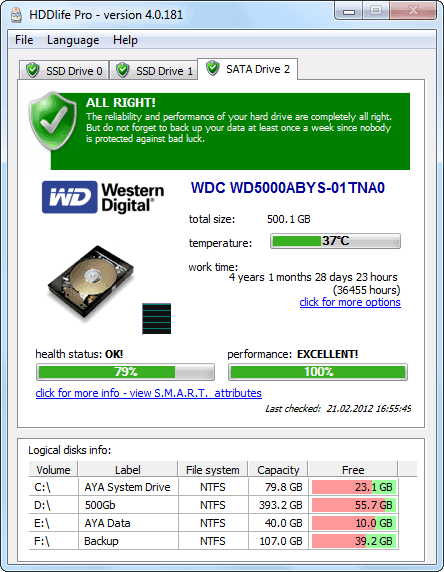
Detailed information about the health and performance percentage
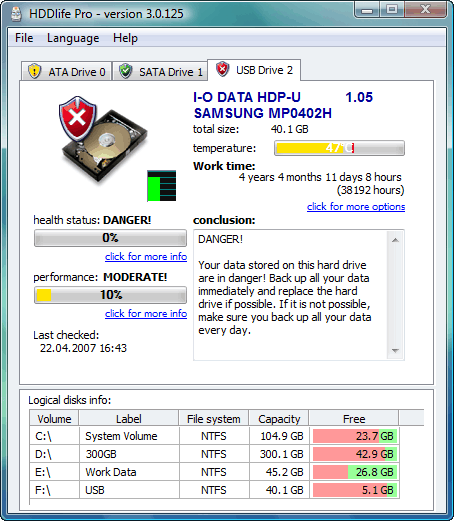
The professional version of HDDlife® shows detailed information about the health and performance percentage of your hard drive in the progress bar, the free version shows only the overall state of the drive.
Detailed information about the health and performance percentage
A thermometer for your disk
HDDlife® can show you the highest temperature the drive has reached for the entire period of its life (if the drive supports this feature). It will allow you to determine how the drive has been working so far, whether it has ever overheated before and whether it will have failures in the future.
Show hard drives temperature
Hard drive health
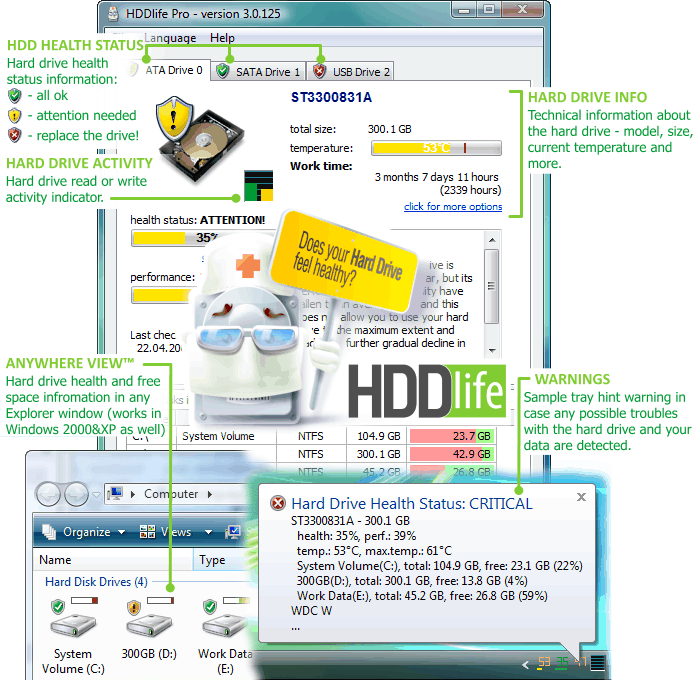
In this case, you can see in the system tray graphic information about the health of every hard drive on your computer. In this example, you can see information about three disks. One of them is quite healthy, the second one is in an urgent state, and the third one is in a critical condition and should be immediately replaced.
Show hard drive health in the system tray
Health and performance simultanously.
The health and life state of each hard drive will be displayed under the temperature numbers in the system tray next to the clock. You can get more detailed information by just hovering the mouse pointer over the corresponding icon.
Simultanously show temperature and hard drive health
AnywhereViewâ„¢ technology - monitoring the health of hard drives in any program
Another exclusive development from the BinarySense company that you will not find in products from our competitors allows you to constantly see the state of your hard drives in a convenient way. The icon representing their health is displayed directly on the icons of the hard drives in all programs on your computer - from the My Computer
:
to the "Open File" dialog box of any program - Word, Notepad, etc.:
AnywhereViewâ„¢ technology
Show a hint in the tray only if something is wrong
After the program checks the health of your hard drives according to schedule, a hint appears in the system tray - see the screenshot to the right. If this mode is on, this hint will appear only if the health of some hard drive is in question. No hint will be displayed if everything is OK. Thus, HDDlife® does not distract you from your work and will disturb you only if it detects any problems.
Show warnings only in case if hard drive health not ok
Remote monitoring and notifications
Monitoring the health of hard drives on networks in enterprises is also a fairly important issue. Repairing a computer after a hard drive failure can take a lot of time of highly qualified and expensive personnel. HDDlife® allows you to detect the pre-failure state of a hard drive and replace it before it gets out of order. Network administrators can configure the parameters for notifications about the dangerous state of hard drives. Such notifications can be sent over the network (similar to net send...) or by e-mail, which makes monitoring as remote as you need it.
Send warning via network message
Send warning via e-mail message
Specific notebook hard drives working environment support
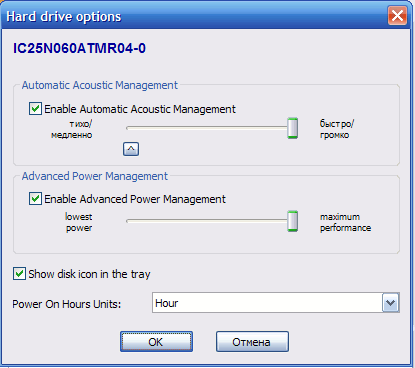
Power saving modes of notebook hard drives support
Screenshot Comparisons
HDDlife®
HDDlife® Pro
Detailed information about the health and performance percentage
The professional version of HDDlife® shows detailed information about the health and performance percentage of the hard drive in the progress bar; the free version shows only the overall state of the drive.
HDDlife®
HDDlife® Pro
Show hard drive health, temperature or health icon in the system tray
The actual disk temperature is always displayed in the system tray (next to the computer clock).
Freeware version shows only the main program icon.
HDDlife®
HDDlife® Pro
Monitoring the health of hard drives and free space info in any program - AnywhereView™ technology.
The icon representing drive health is displayed directly on the icons of the hard drives in all programs on your computer - you will never forget about the health of your hard drives and about the safety of your data!
HDDlife®
HDDlife® Pro
Send warning via network or e-mail message.
Network administrators can configure the parameters for notification about the dangerous state of hard drives. Such notifications can be sent over the network (similar to net send...) or by e-mail, which makes monitoring as remote as you need it.